AI filmmaking has a weird superpower: it can produce images that look perfect while still feeling… wrong. Viewers may not be able to name the issue, but they sense it instantly. The shot is crisp yet weightless. The face is beautiful yet unreadable. The scene is cinematic yet strangely un-cinematic—like a dream that forgot how gravity works. That “artificial” feeling isn’t one single flaw. It’s usually a stack of tiny misses: physics that doesn’t quite obey, performances that don’t quite land, and editing rhythms that don’t quite breathe. The good news is that “AI look” isn’t inevitable. It’s not a curse baked into the tools. It’s a set of predictable failure patterns—and once you know what they are, you can steer around them. The goal isn’t to hide that you used AI. The goal is to make the film feel intentional, grounded, and human—so the audience stays inside the story instead of stepping outside to judge the technique.
A: Lock a “look bible” (lens, light direction, palette) and limit angles per scene.
A: Use fewer extreme close-ups, favor profiles/OTS shots, and keep character features stable across shots.
A: Keep camera moves simple and motivated, and cut on motion so physics errors don’t linger.
A: Add motivated sources (window, lamp, streetlight) and keep direction consistent across coverage.
A: Use restraint: save hero shots for hero moments, and build contrast between quiet and loud scenes.
A: Yes—subtle “camera evidence” can add tactility, but keep it consistent and story-appropriate.
A: Use character/location reference sheets and repeat anchor props, wardrobe, and lighting rules.
A: Absolutely—room tone, footsteps, and cloth detail can ground visuals instantly.
A: Rewrite for subtext and specificity; let characters speak around feelings instead of stating them.
A: Consistency (look bible), sound design, and fewer stronger shots—those three reduce “AI look” fastest.
The Uncanny Stack: Why Your Brain Flags AI So Fast
When people say an AI film looks artificial, they usually mean one of three things: it looks too clean, it moves wrong, or it feels emotionally blank. These aren’t vague complaints. They’re your viewer’s pattern-matching system firing alarms. Real footage carries layered signals that agree with each other. Lighting, lens behavior, texture, motion blur, depth of field, and gravity all “vote” in the same direction. AI sometimes makes each layer look plausible in isolation, but they don’t always agree as a group. The result is a subtle disagreement between cues—like a person speaking with perfect grammar but strange timing. You can’t always name what’s off, but you feel it. To avoid that, you need to treat your AI shots the way filmmakers treat visual effects: match the world, match the camera, and match the performance. If a shot is meant to feel documentary-real, it needs documentary imperfections. If it’s meant to feel like a pristine commercial, then the polish needs to be consistent—no random painterly artifacts, no inconsistent lens math, no shifting facial structure between cuts.
The #1 Tell: Motion That Lacks Purpose
Single images can fool the eye. Motion rarely does. AI motion often looks “floaty” because it isn’t anchored to real physical causes. A camera move in real life is driven by a person, a rig, or a vehicle. Even a gimbal has a weight and inertia. AI can simulate movement, but it often misses intent: the tiny accelerations, decelerations, and micro-corrections that come from hands and bodies.
The fix isn’t “add more motion.” It’s “add motivated motion.” If the camera pushes in, why? Because the character made a decision. Because the scene is tightening. Because the viewer should notice a detail. If you can’t explain the move in one sentence, it will read like AI showing off. Practical approach: keep moves simpler. A slow dolly-in beats a complex orbit. A locked-off frame with character motion often feels more real than a constantly drifting camera. When you do move, make it imperfect on purpose—subtle handheld sway, tiny reframe bumps, a gentle breathing rhythm. Believability loves restraint.
Faces: The Fastest Route to the Uncanny Valley
Human beings are face experts. We detect micro-expression timing, skin tension, eye focus, and mouth shapes with insane sensitivity. AI faces tend to fail in three main ways: identity drift, expression drift, and eye logic. Identity drift is when the face subtly changes across frames—cheekbones shift, jaw width changes, freckles rearrange, a mole migrates. Expression drift is when emotion appears pasted on, like a mask sliding over a mannequin. Eye logic is the killer: gaze that doesn’t lock onto targets, blinking that feels too rare or too synchronized, and pupils that don’t respond to lighting changes.
The most effective fix is to reduce the demand you place on faces. If your story requires long close-ups with nuanced dialogue performance, you’re asking the hardest thing from the toolset. Instead, use cinematic language: shoot wider, let faces live in motion and shadow, cut away to hands or objects, use over-the-shoulder angles, silhouette, reflections, or partially occluded compositions. It’s not hiding—it’s directing attention like a filmmaker. And when you do go close, stabilize identity by staying consistent with one character reference look and repeating it across shots. Keep lighting setups consistent too; dramatic lighting changes can amplify facial instability because the model has to “re-invent” the face under new conditions.
Skin, Hair, and Texture: When “Perfect” Becomes Plastic
AI is obsessed with smoothing. It polishes skin into porcelain, turns fabric into a clean gradient, and makes hair look like a single sculpted shape rather than thousands of fibers reacting to light. This creates the “CGI doll” effect—especially when combined with high clarity and sharp edges. Real cameras don’t see skin as smooth. They see pores, tiny color variations, slight oil sheen, and noise. Real lenses soften edges, especially at wide apertures. Real compression adds a bit of grit, and real lighting creates unevenness—hot spots, falloff, reflected color from nearby surfaces.
To fix plastic texture, you want controlled imperfection. Add film grain (subtle, not crunchy). Add halation or bloom in highlights if your style supports it. Introduce a touch of lens softness or diffusion. Reduce over-sharpening. Even a small amount of natural noise helps anchor the image in reality. Also watch specular highlights. AI often makes highlights too “even,” like a beauty render. In reality, highlights are messy: they break on pores, shift with micro-movement, and vary in intensity across the face. If you can make highlights less uniform—through lighting design, diffusion, or post—you’ll gain realism fast.
Lighting: The Silent Judge of Realism
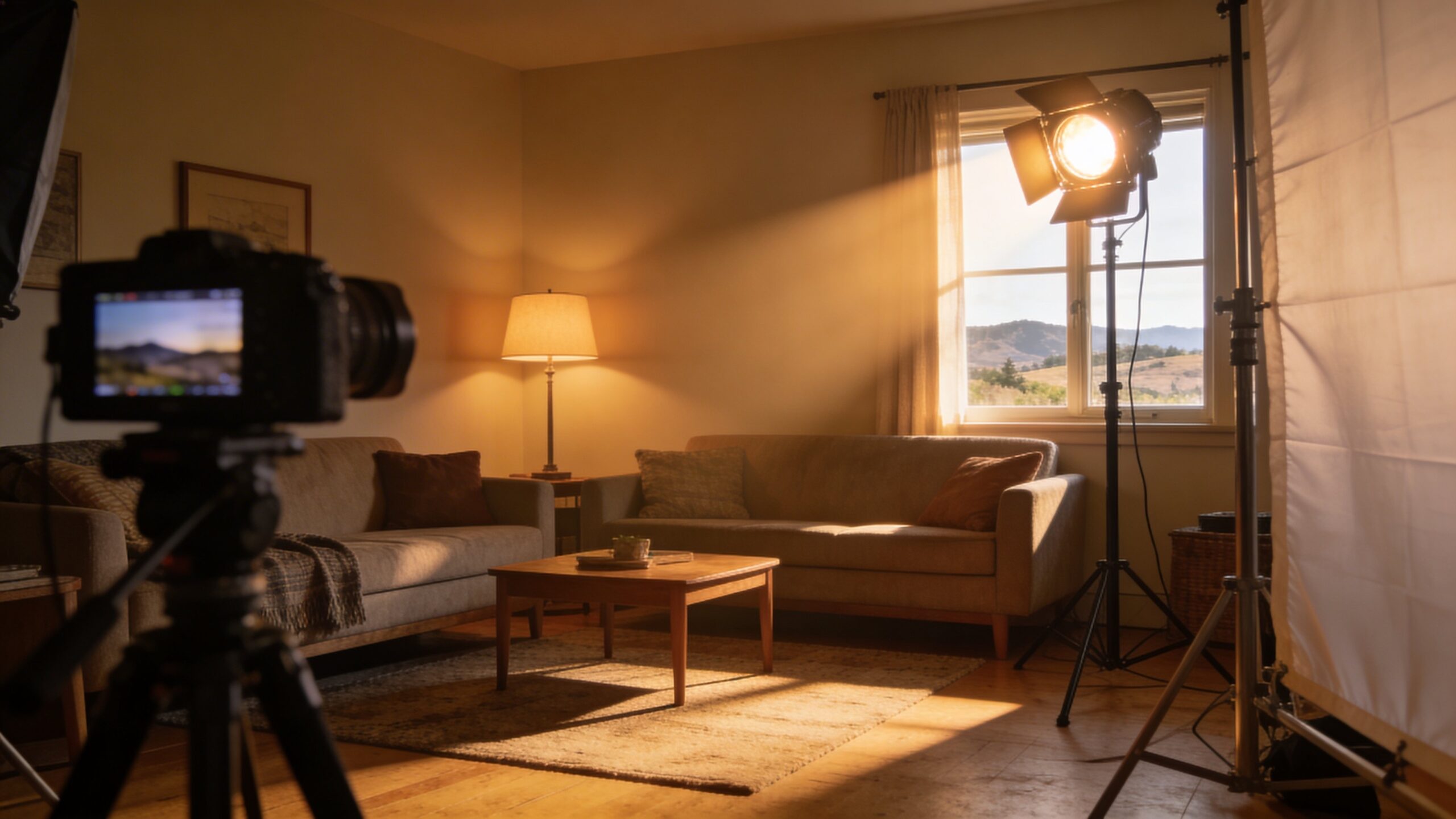
Lighting is the truth serum of film. If the light behaves incorrectly, the shot feels fake even if everything else is gorgeous. AI frequently gets lighting “mostly right” but misses the geometry: shadows that don’t connect to the source, rim lights that appear from nowhere, reflections that ignore the environment, or multiple inconsistent key directions. The fix is to design lighting like a cinematographer. Choose a key direction and stick to it across the sequence. If the key is a window frame left, keep it left. If the scene is sunset, let it be warm and low consistently. Don’t let each shot reinvent the world.
When a scene is meant to feel practical—like a kitchen, hallway, or street—use motivated sources: lamps, neon signs, car headlights, TV glow. If the AI shot looks “studio lit” but the scene claims it’s lit by a single candle, your viewer feels the lie immediately. A great trick is to simplify your lighting story. One key, one fill, one backlight style—then repeat. Consistency beats complexity every time.
Camera Language: AI Often Forgets It’s “A Camera”
Film isn’t just images—it’s camera behavior. Real cameras have lenses, sensors, shutter angles, and limitations. AI shots often look like they were made by a perfect floating eye. That’s not how cinema feels. Ask yourself: what lens is this? Wide lenses distort edges and emphasize space. Telephoto lenses compress distance and isolate subjects. AI sometimes mixes these cues, giving you a wide field of view with telephoto depth compression, or razor-sharp corners with shallow depth-of-field that doesn’t match the lens.
To avoid the “AI camera,” commit to a lens philosophy per scene. If you’re telling an intimate character moment, lean toward longer lenses and gentle focus falloff. If you’re showing a big environment, use wider lenses with deeper focus. Keep camera height believable. Even in stylized work, consistent camera choices feel “directed” rather than “generated.” Also, embrace real framing rules: headroom, eyeline, the 180-degree line, and shot-reverse-shot geometry. AI sequences often feel like random pretty shots because they weren’t designed to cut together. Design for editing.
Editing Rhythm: The “Generated Montage” Problem
Many AI films feel artificial because they edit like a demo reel: constant new visuals, no breath, no connective tissue. Real scenes have structure: establishing, observing, reacting, revealing. They have pauses where the audience catches up. They have repeated visual motifs that build meaning. If your cut is always chasing novelty, the viewer stops believing in a continuous world. Instead, reuse spaces. Return to the same angle with a different emotional context. Let a shot hold a beat longer than feels “efficient.” Real life is full of seconds where nothing “new” happens—but something changes inside the character. Sound is a huge part of this. AI visuals without coherent sound design are almost guaranteed to feel artificial. Layer room tone. Add footsteps, cloth movement, distant traffic, subtle reverb that matches the space. Let the sound bridge cuts so the world feels continuous.
Performance: When Emotion Looks Like a Sticker
AI-generated performances can look like a sequence of expressions rather than a person thinking. Human emotion is messy and often contradictory. People smile while worried. They hesitate mid-sentence. Their eyes lead their words. Their body language is doing one thing while their mouth says another.
To avoid “sticker emotion,” direct your scenes for subtext. If a character is angry, maybe they’re quiet. If they’re confident, maybe their hands reveal nerves. Give the actor—real or AI—behavioral specificity: a habit, a tell, a physical goal. Characters should be doing something, not just “being emotional.” If your AI workflow struggles with nuanced facial acting, put the emotion into blocking and camera. Show the hand clenching, the foot tapping, the character stepping closer, the shoulder dropping. Film language can carry emotion even when faces aren’t perfect.
Over-Style: When Every Frame Screams “Look at Me”
Another big “AI look” is over-stylization: hyper-detailed textures, intense teal-orange grading, impossibly perfect smoke, dramatic bokeh everywhere, and lighting that treats every moment like a hero shot. The viewer starts to feel like the film is a continuous advertisement. Professional cinematography has contrast, yes—but it also has normality. Scenes have ugly corners. Frames have dead space. Sometimes the light is boring on purpose. If every shot is peak aesthetic, nothing feels like a lived world. Try letting some shots be simple. Let a scene play in soft, boring window light. Let the grade be gentle. Let the camera be still. When you save the “wow” shots for moments that matter, they land harder and feel more intentional.
A Practical Recipe for Making AI Film Feel Real
Start with a clear intent: what genre realism are you aiming for—documentary, indie drama, studio thriller, glossy commercial, music video, animated fantasy? Each has its own “real” rules. Your goal isn’t universal realism; it’s consistent realism. Next, lock your scene bible: location, time of day, lighting direction, lens style, camera movement style, and color palette. Repeat those rules across the entire sequence. The biggest giveaway isn’t a single artifact—it’s inconsistency.
Then, design shots for cutting. Think in sequences, not images. Establish space. Respect eyelines. Use reaction shots. Keep character identity stable. When in doubt, widen the shot and let motion happen inside the frame. Finally, finish like a filmmaker: sound design, subtle grain, controlled contrast, consistent color, and gentle lens behavior. A few small finishing touches can do more for realism than a hundred prompt tweaks.
The Bigger Secret: Believability Beats Perfection
Real films aren’t perfect. They’re convincing. The “artificial” feel usually comes from AI trying too hard: too smooth, too sharp, too dramatic, too symmetrical, too constantly impressive. If you want your AI films to feel cinematic, bring back the human layer—restraint, intention, imperfection, and rhythm. When viewers say, “I forgot it was AI,” they’re not praising resolution. They’re praising coherence. They’re praising story logic and sensory logic agreeing with each other. That’s the bar. And it’s reachable—if you treat AI like a powerful tool inside a real filmmaking process, not a shortcut around one.