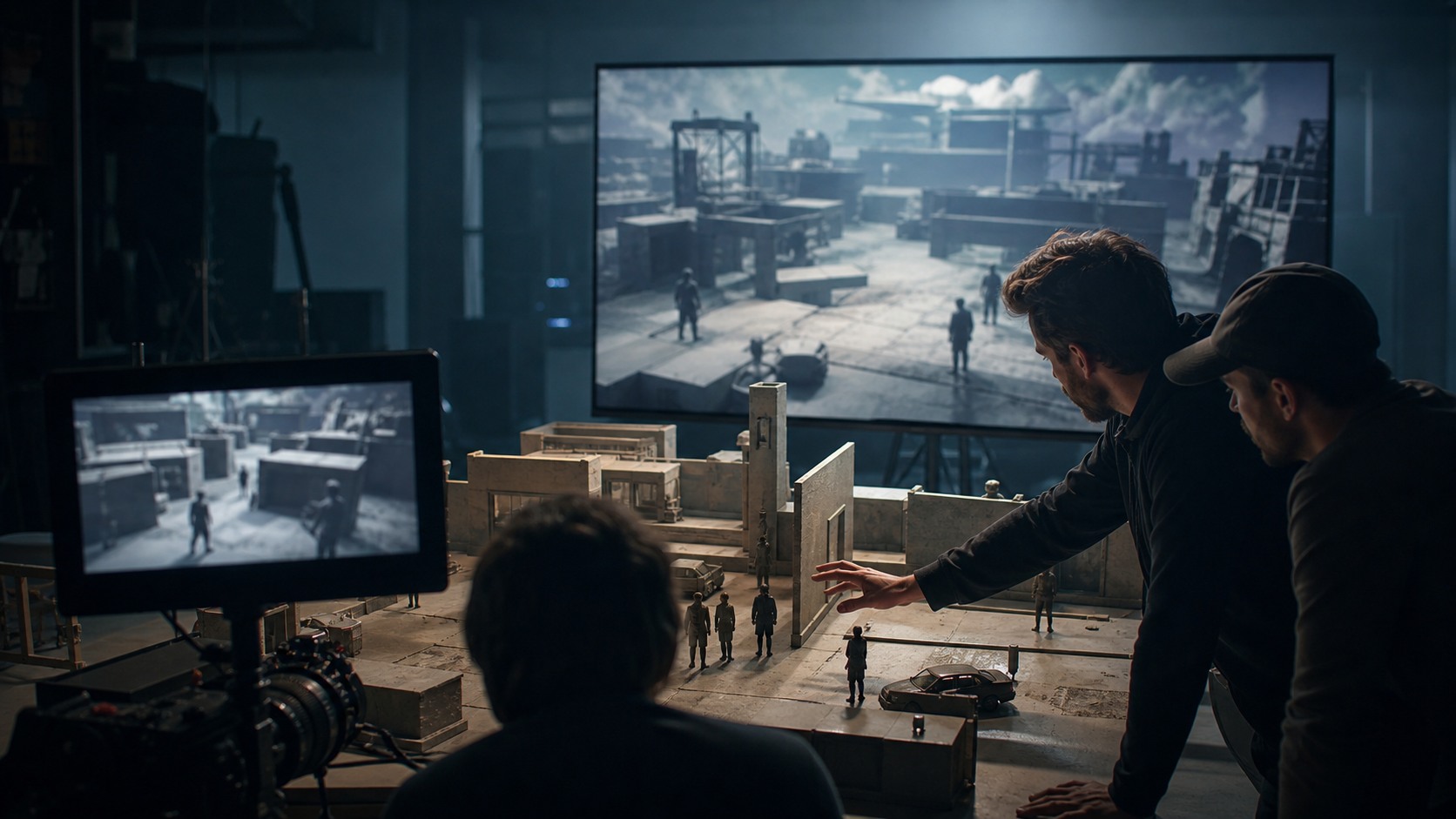
AI Pre-Visualization Helps Beginners See the Movie Before They Shoot It
AI pre-visualization gives beginner filmmakers a way to turn script pages into rough visual plans before production begins. It can help test shot ideas, scene rhythm, locations, mood, and camera movement without needing a full crew or finished artwork. The goal is not to make perfect images. The goal is to understand the scene well enough to make better decisions. When used carefully, AI previs can help a beginner move from words on a page toward a clearer screen plan.
What Pre-Visualization Means
Pre-visualization, often called previs, is the process of planning how a scene might look before it is filmed or fully animated. It can include sketches, storyboards, animatics, rough 3D layouts, shot lists, camera tests, or temporary edits. The purpose is to solve visual questions early.
For beginners, previs can make a script less abstract. A scene that feels clear in writing may become confusing when visualized. Where is the character standing. What does the audience see first. How does the shot reveal information. Previs helps answer those questions before production day.
AI adds a faster way to create rough visual material, but it does not change the purpose. Previs is still about planning, not decoration.
Start With the Script Beat
The first step is to identify the scene beat. A beat is the change or moment the shot needs to communicate. It might be a discovery, a refusal, a threat, a joke, a reveal, or a shift in power. Without a beat, AI-generated visuals can become random.
Beginners should write the beat in plain language before generating anything. For example: the character realizes the room is not empty, or the witness chooses not to speak. That sentence helps decide what kind of image is needed.
Once the beat is clear, the creator can ask what the audience needs to see. This question matters more than style. A stylish frame that hides the beat is not useful previs.
Break the Scene Into Shots
A beginner should not ask AI to solve an entire scene at once. Break the scene into shot jobs: establish the place, show the character, reveal the object, capture the reaction, and end the moment. Each shot job can become its own visual test.
This approach keeps the workflow manageable. If a generated frame fails, the filmmaker knows which part failed. Maybe the establishing image works, but the reaction shot does not. Maybe the reveal needs a lower angle. Smaller tests create clearer lessons.
Breaking a scene into shots also teaches coverage. Beginners learn that a scene is not one pretty image. It is a sequence of visual decisions.
Use AI for Rough Frames
AI can help create rough frames for each shot job. The prompts should be simple and practical: subject, setting, action, camera distance, mood, and important constraints. The goal is to see whether the shot idea communicates.
The rough frame does not need to match the final film perfectly. It may be used only to test composition, tone, or staging. Beginners should label these outputs as rough planning material so they do not confuse them with finished production design.
If the AI output introduces extra characters, wrong props, unreadable geography, or a mood that does not fit, revise the prompt or rethink the shot. The output is feedback, not an order.
Create a Simple Sequence
After generating rough frames, place them in order. This can be done in a slide deck, editing timeline, image folder, or storyboard document. The sequence reveals whether the scene flows visually.
Beginners often learn more from the order than from the individual images. A strong first frame may not connect to the next one. A reaction may arrive too early. A reveal may need more setup. Sequencing turns separate AI outputs into a planning tool.
If the sequence feels confusing, do not keep generating randomly. Identify the missing shot job. Maybe the viewer needs a wider orientation, a clearer insert, or a calmer final image.
Add Timing With an Animatic
An animatic is a timed version of a storyboard or rough visual sequence. It can be as simple as still frames edited with temporary sound. Beginners can use AI frames to build a quick animatic and test pacing.
Timing changes the meaning of images. A reveal held for two seconds feels different from one held for six. A reaction may need silence. A transition may feel rushed. Previs becomes more useful when time is added.
The animatic does not need to be polished. Its job is to reveal whether the scene has rhythm. If the timing fails, production will probably feel harder later.
Think About Camera and Blocking
AI previs can help beginners think about camera placement and blocking. A generated frame may suggest where the camera is, but the filmmaker should still ask whether that camera position can actually work. Where is the actor. Where is the light. What does the camera see that the audience needs.
Blocking should remain understandable. If the character moves across the scene, the audience needs to follow the movement. If two people are talking, eyelines and screen direction matter. AI frames can ignore these rules unless the filmmaker checks them.
A simple overhead sketch can support AI frames. Even rough marks showing where characters and camera positions are can prevent visual confusion.
Use Previs to Plan Production
The value of previs is practical. It can help create a shot list, identify props, plan locations, discuss lighting, estimate visual effects needs, and prepare collaborators. A beginner who arrives with rough frames may communicate more clearly with a small crew.
Previs can also reveal what not to shoot. A generated angle may look dramatic but require a setup the team cannot afford. That discovery is useful. The filmmaker can choose a simpler shot before wasting time on set.
AI previs should lead to decisions. If it does not change the plan, clarify the question being asked.
Avoid Common Beginner Mistakes
The first mistake is chasing pretty frames. Beginners may keep generating images because they look cinematic, even if the scene plan is still unclear. Previs should answer questions about the film, not create a gallery.
The second mistake is ignoring sound. Even a rough animatic benefits from temporary ambience, pauses, or simple sound cues. Sound can reveal whether the scene timing works.
The third mistake is treating AI as the director. The filmmaker must still decide the point of view, sequence, and purpose. AI can help visualize options. It cannot know what the beginner is trying to say.
How to Write Beginner Prompts
Beginner prompts should be plain and practical. A useful prompt names the subject, location, action, camera distance, and emotional purpose. It may also include constraints such as no readable text, no extra people, or a simple background. The goal is not poetic language. The goal is a visual test the filmmaker can understand.
A beginner should avoid changing too many variables at once. If a shot is too wide, revise the camera distance while keeping the subject and setting stable. If the mood is wrong, adjust lighting or emotional tone without rebuilding the entire prompt. This makes learning easier.
The prompt should always connect to the shot job. A frame for a reveal needs different information than a frame for a reaction. When the prompt includes the shot purpose, the output becomes easier to judge.
How to Review With Fresh Eyes
After generating frames, beginners should step away for a moment and review them like an audience. Does the viewer understand where the scene is. Does the image show the important action. Does the frame create the intended feeling. These simple questions catch many problems.
It can help to ask another person to look at the rough sequence without explanation. If they cannot follow the scene, the previs needs work. The viewer does not need to know the prompt or the tool. They only need to understand the visual plan.
Fresh-eye review keeps beginners from defending outputs just because they took effort to generate. If a frame does not communicate, it should be revised, replaced, or removed.
How Previs Supports Confidence
Previs can make beginners more confident because it turns vague worries into specific decisions. Instead of feeling unsure about a whole scene, the filmmaker can identify one missing shot, one confusing angle, or one timing problem. Specific problems are easier to solve.
Confidence also comes from preparation. A beginner who has tested the scene visually can arrive on set with a clearer shot list and better questions for collaborators. That does not guarantee a perfect shoot, but it reduces panic.
The best confidence is flexible. AI previs helps the filmmaker understand the scene well enough to adapt when reality changes.
How to Keep the Workflow Small
A beginner workflow should stay small enough to finish. Choose one scene, define the beat, create a handful of frames, arrange them, and make one revision pass. This teaches more than trying to previsualize an entire feature at once.
Small workflows also make mistakes easier to understand. If a sequence fails, the filmmaker can see whether the problem is the prompt, the shot order, the timing, or the original script beat. Large workflows can hide those lessons under too many files.
As confidence grows, the filmmaker can add more scenes, more timing detail, and more collaborators. AI previs should scale with skill, not overwhelm it.
How to Talk About Previs With a Crew
When sharing AI previs with a crew, explain what each image is meant to show. One frame may describe mood, another may describe camera distance, and another may describe blocking. Without labels, collaborators may assume every detail is final.
A cinematographer may care about lens and light, while a production designer may care about space and objects. A producer may care about cost. The same image can serve different conversations if the filmmaker explains its purpose.
Clear communication keeps AI previs useful. The crew should feel guided by the material, not trapped by it.
Why the First Version Is Only a Draft
The first AI previs pass should be treated as a draft. It exists to reveal questions, not to settle every answer. A beginner may discover that a scene needs fewer shots, a clearer reveal, or a different location idea.
This draft mindset reduces pressure. The filmmaker does not need perfect images to learn from the process. Rough frames can be valuable if they expose what the script needs next.
The path from script to screen improves through revision. AI helps create the first visible draft, but the filmmaker still has to refine it into a practical plan.
What to Take to Set
A beginner does not need to bring every generated frame to set. Bring the useful materials: a clear shot list, selected reference frames, simple blocking notes, and any timing lessons from the animatic. Too much material can overwhelm a small production.
The team should understand that previs is a guide, not a prison. Real locations, performances, weather, time, and discoveries may change the plan. Good previs prepares the filmmaker to adapt because the scene’s visual purpose is already understood.
The journey from script to screen is not automatic. AI previs helps beginners see possibilities earlier, but the final scene still depends on choices made by people before, during, and after the shoot.